Enrolling a student
Create a new student's record with family, class and payment schedule.
Secretary
Steps
- Open Students, then New student.
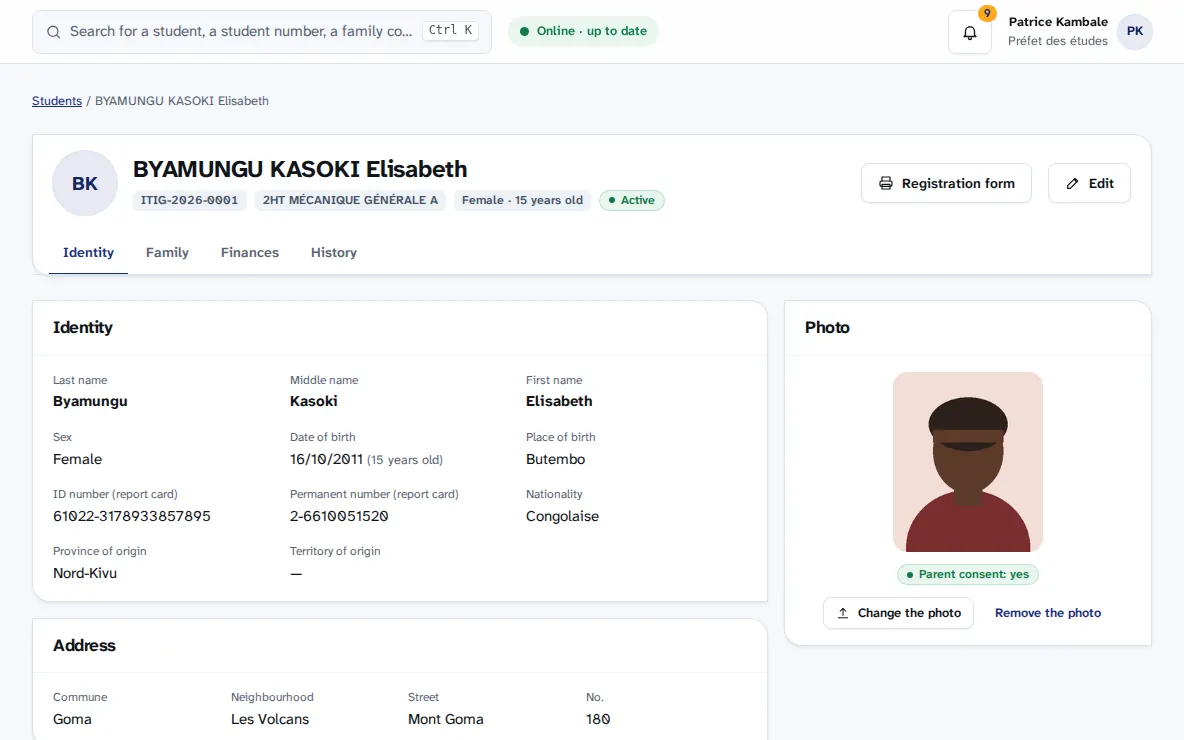
- Fill in the identity: surname, middle name, first name, sex, date of birth.
- Choose the class (and the track if the school has them), or link the student to an existing family for siblings.
- Save: the student number is given by the school and the fee schedule is prepared automatically.
- Print the enrolment form if parents have to sign it.
Good to know. To enrol many students at once, use the Excel import.
Frequently asked questions
Duplicate? The app warns you if a student with the same name and birth date already exists.
Wrong class chosen? Open the record, Edit, change the class.
No network? On a remembered device, enrolment still works: the student number and family code shown are provisional, the final ones arrive when the device syncs. If your account also collects payments, Enrol and collect opens the cash desk on the student. Add the photo and print the registration form once the network is back. If two devices enrolled the same child, the office is notified; nothing is merged automatically.
Related articles
Updated on 5 November 2026. In the app, the “Help” button at the top of each screen opens its article.