Fees, cash desk, marks and parents, in one app
Everyone works on their own screen, with their own rights: management follows, the accountant sets, the cashier collects, the teacher marks. Everyone sees the same figures, up to date.
Know where the school stands, every day
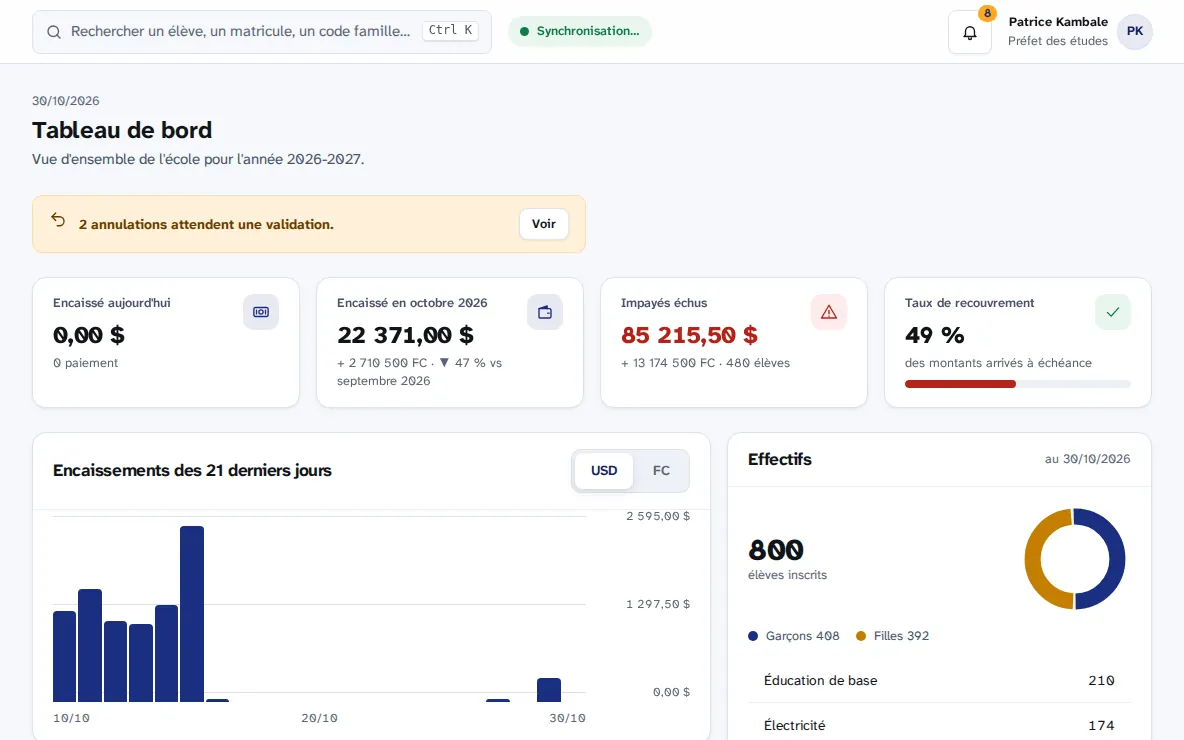
The dashboard shows what came in today, what is left to pay and which classes are behind, in dollars and in francs.
- Takings of the day, month and year, by currency
- Collection by class and a printable list of unpaid fees
- Cash desks still open, cancellations to approve
- Deliberation, report cards and end-of-year summaries
Fair fees, accounts that add up
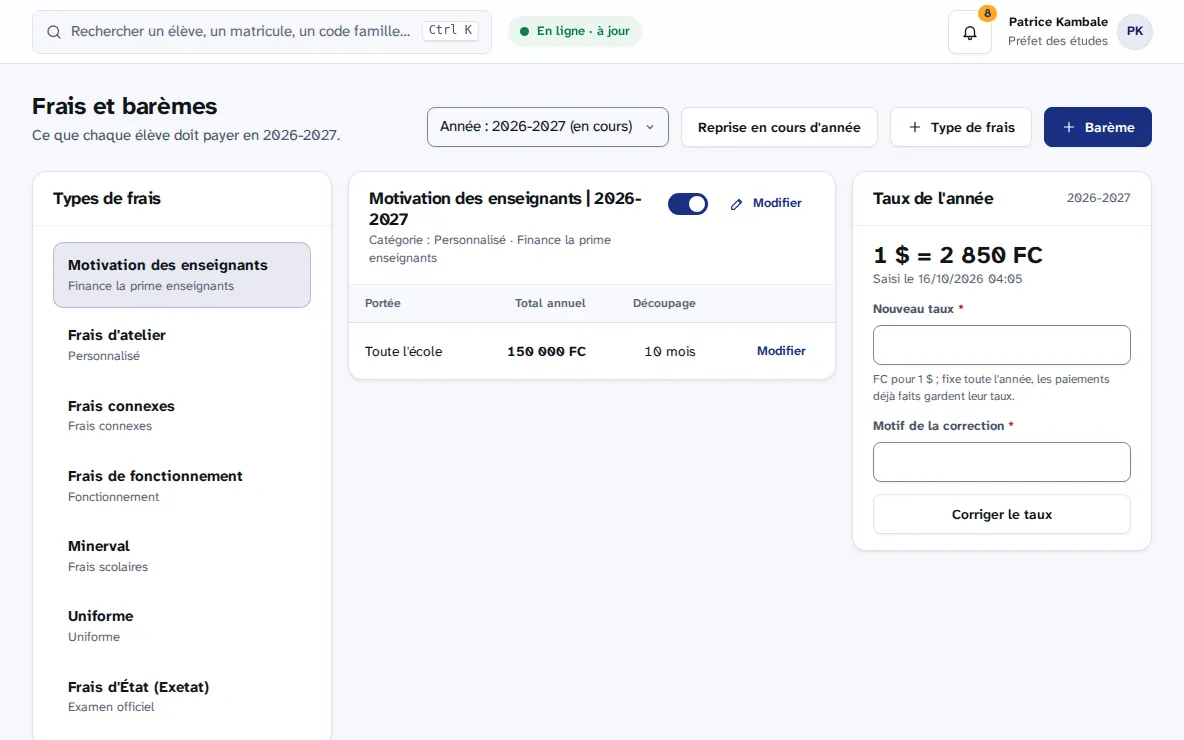
Fee scales are set once by level, option or class; each student knows what they owe and when.
- Tuition and other fees in USD or FC, in instalments
- Discounts with a reason, a student's own payment plan
- Payment cancelled with a reason and approval, never erased
- Cash counts with the difference, statements and Excel exports
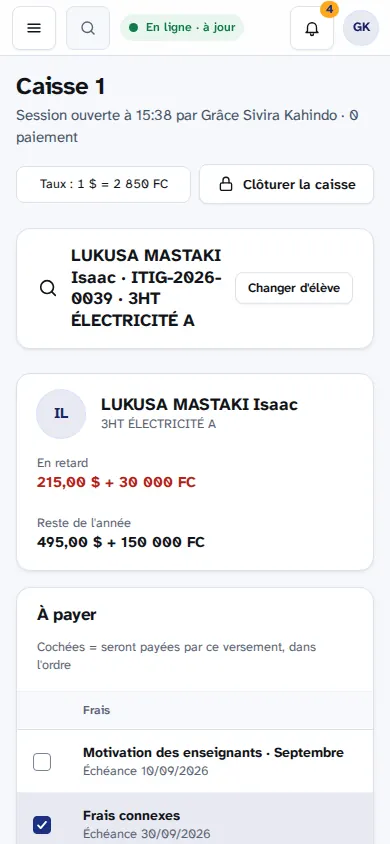
Take a payment and print the receipt in seconds
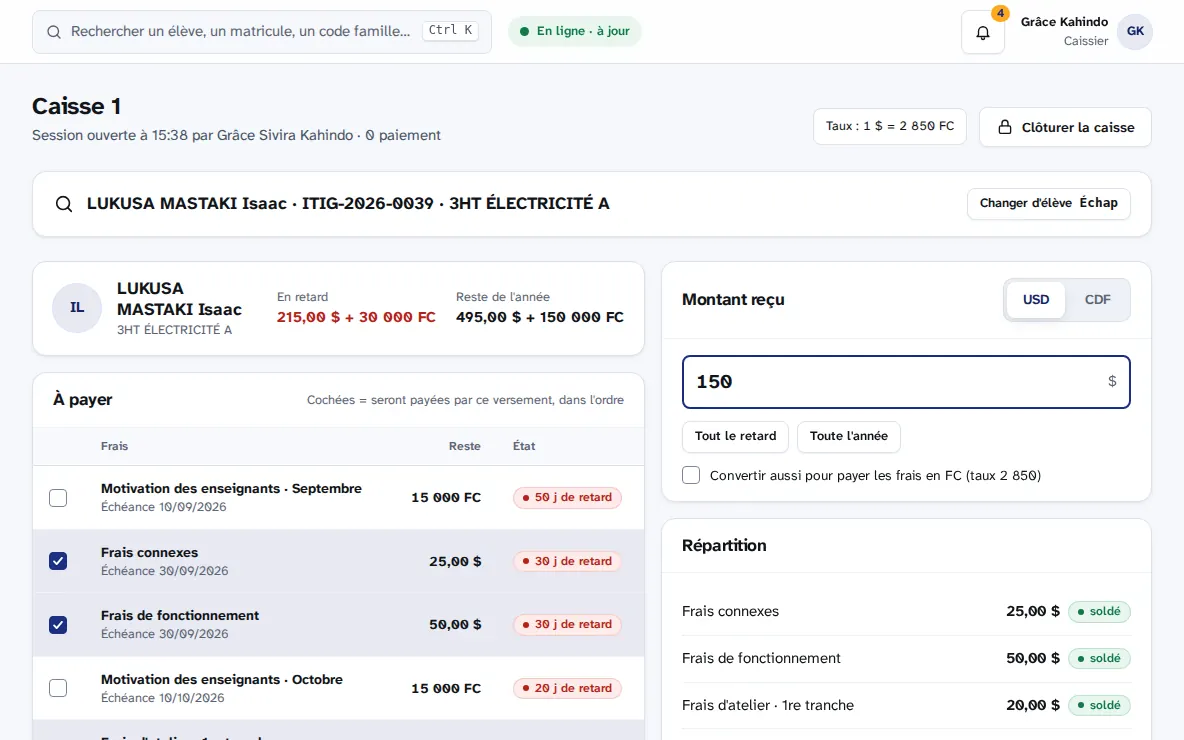
Find the student, type the amount, the receipt comes out. Even when the internet is down: payments go out as soon as the network is back.
- Full or partial payment, in dollars or francs
- 58 mm, 80 mm or A4 receipt, with a verification QR code
- PIN code to work without internet on a known device
- Evening count: counted, expected, difference
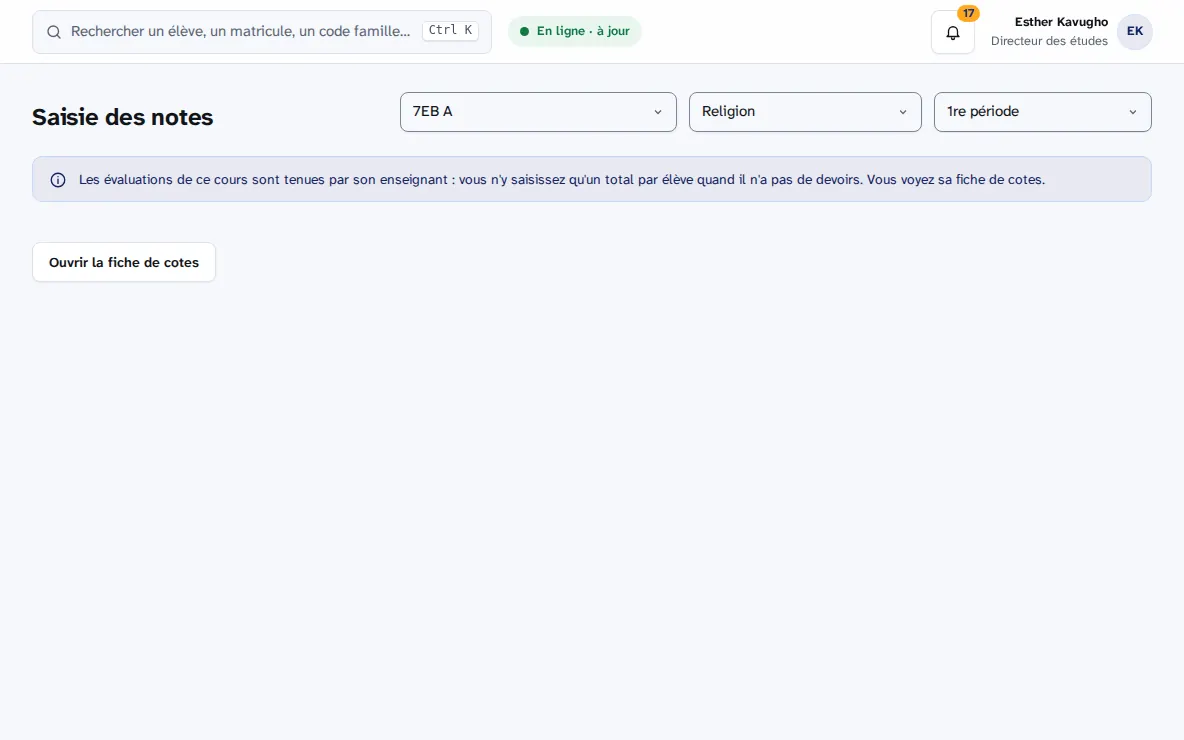
Enter the marks, the report card follows
Each teacher only sees their own courses and classes. Totals, ranks and percentages are worked out automatically.
- Marks by test or straight by term, as the school chooses
- Conduct marked by the form teacher on the school's scale
- Mark sheets and report cards in the school's format, with an authenticity QR code
- Signed marks: a correction is written to the log
The office and discipline have their place
Office
Enrolment, import of the Excel list with an error report, families and siblings, class lists.
Discipline
Student conduct, printable and tracked parent summons.
Your own roles
The school creates its own roles and chooses what each one can see or do.
Start in four steps
No need to wait for the new school year: you can start in the middle of the year, carrying over what has already been paid.
Demo
We show you Mwangaza, online or at your school in Goma.
Trial space
Your classes, options and fees, to try without risk.
Your students
Import of your Excel list; errors are flagged line by line.
Launch
Training with your staff, then the school's space goes live.
The equipment you already have is enough
A device
Phone, tablet or computer, even an old one, with Chrome, Edge or Safari.
A printer, if you like
58 or 80 mm ticket, or an ordinary A4 printer.
Internet, not all the time
The cash desk works without a network; a connection now and then is enough.
See Mwangaza with your school's classes
We open a trial space with your classes and fees, and show you everything, online or on site in Goma.