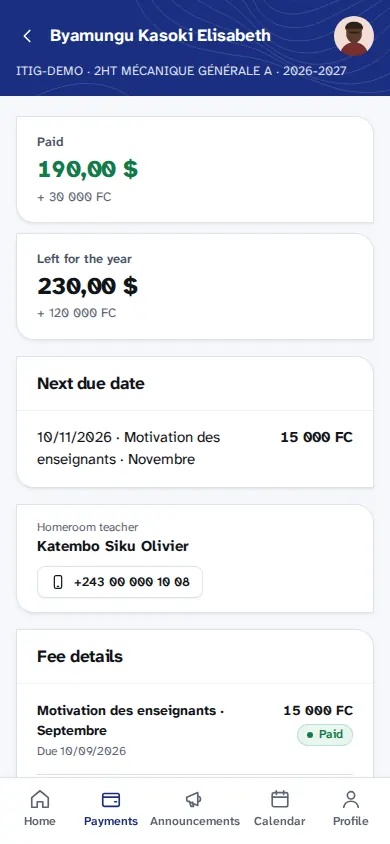
Following my child's payments
See what is paid, what remains and download receipts.
Parent
Steps
- On the home page, tap your child's name.
- Open the payments tab: paid instalments, upcoming ones, balance.
- Tap a payment to see its receipt.
Good to know. To pay, go to the school's cash desk: the parent space does not receive money.
Frequently asked questions
A payment is missing? It appears once recorded at the cash desk; keep your paper receipt.
Related articles
Updated on 4 November 2026. In the app, the “Help” button at the top of each screen opens its article.